Skip to content
Vyapar by Squatics

Billing, khata and stock. Sorted.

Vyapar brings sales, inventory, billing, customer payments and business insights into one simple workspace. It runs in your browser on the counter, and installs on your phone like an app.

Made for the counter

Run your business with less chaos.

Most shops run on a bill book, a khata notebook and a good memory. It works, until it’s month end, or a customer disputes a balance, or the bestseller runs out on a Saturday.

Vyapar keeps all of it in one place. Add your items once and bill as you sell. Stock, khata balances, GST and reports update on their own.

  • Cloth & saree shops
  • Retail shops
  • Traders
  • Small businesses
  • Local stores
  • Growing businesses

Features

01 · Business Dashboard

Your whole day on one screen.

Open Vyapar and you see today’s sales against last week, how many bills, how much udhaar is out, and the cash that should be in the drawer.

  • Items running low, right on the home screen
  • Customers to collect from, with a Remind button
02 · Sales

Bill a customer in a few keystrokes.

Search an item or tap it from quick add. Each chip shows the price and how much is left in stock, so you don’t sell what you don’t have.

  • Cash, UPI, card or udhaar on one screen
  • Shows the change to return for cash
03 · Billing & Invoices

Bills that look like a real business sent them.

Every bill is a tax invoice with your shop name, address, GSTIN and invoice number, plus the amount in words. Send it on WhatsApp as a link your customer opens in their browser, print it, or save a PDF.

  • Invoice numbers handled for you
  • Duplicate a bill for repeat orders, or cancel one behind your PIN
04 · Customer Dues

Know who owes you, and how long it’s been.

Bills marked udhaar go straight to that customer’s khata. Sort by highest due, see the full history, and record a payment the moment it comes in.

  • Remind on WhatsApp in one tap
  • PDF statement for any period, with the opening balance
05 · Inventory

Stock that updates itself.

Each bill takes items out of stock. Set an alert level per item and Vyapar flags it before it runs out. When supplies arrive, stock them in against the supplier. Items, stock and suppliers come with the Business and Premium plans.

  • Stock in, stock out and stock count
  • Selling and purchase price, and your margin on every item
06 · GST

GST worked out on every bill.

Set the GST rate and HSN code once per item. Bills show the CGST and SGST split, and Reports shows the GST you’ve collected for any period.

  • GST export as CSV
  • Taxable value and round-off on every bill
07 · Reports

Understand the business, not just the day.

Switch between this week, month, year or a custom range. See sales split into paid and udhaar, your best sellers, how customers paid, and profit & loss after your expenses.

  • Sales minus cost of goods and expenses: your net profit
  • Expenses by category: rent, salary, packaging and more
New in Vyapar

More of the shop, in your pocket.

Add Vyapar to your phone’s home screen and it opens like an app, in light or dark. Here’s what’s new beyond the counter.

A bill page your customer opens from WhatsApp.

The WhatsApp message carries a link to the bill. Your customer opens it in their browser, no app needed, and sees the amount, whether it’s paid or due, and a PDF to download or print.

  • A ready-made Google review, copied in one tap
  • Your Instagram, Facebook, YouTube and WhatsApp links
Invoice Templates

Your bill, in your style.

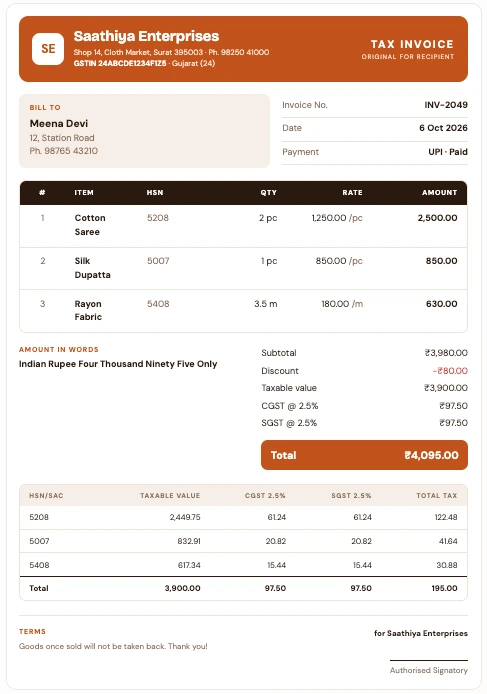
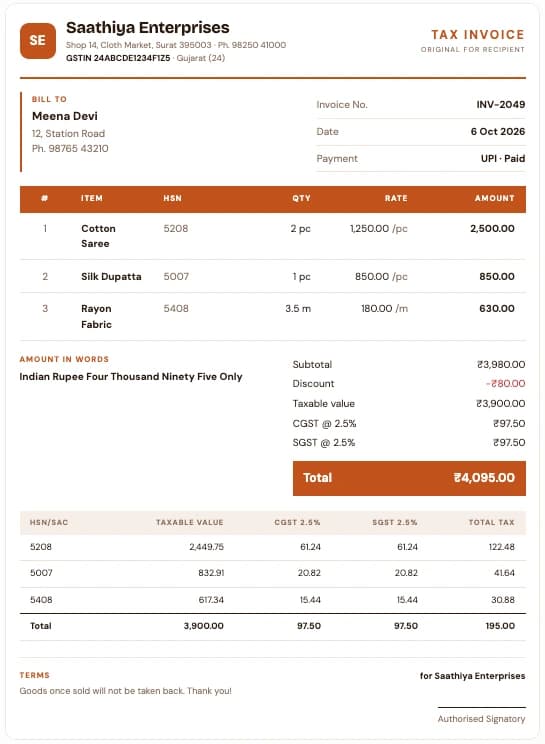
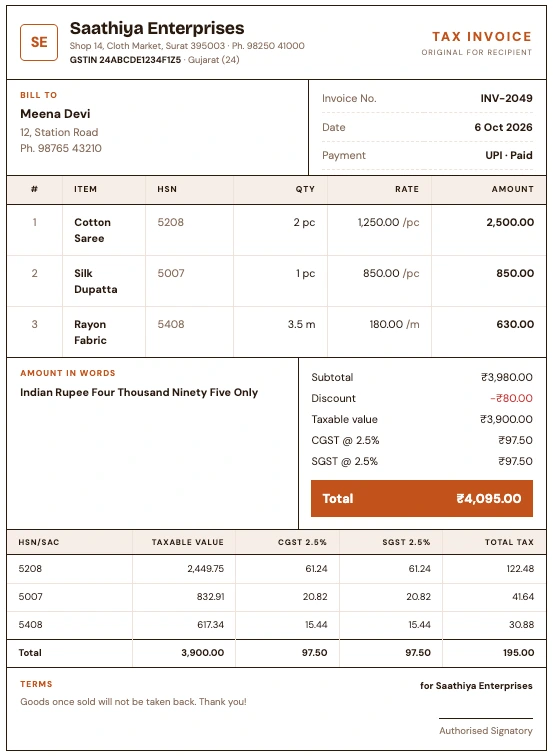
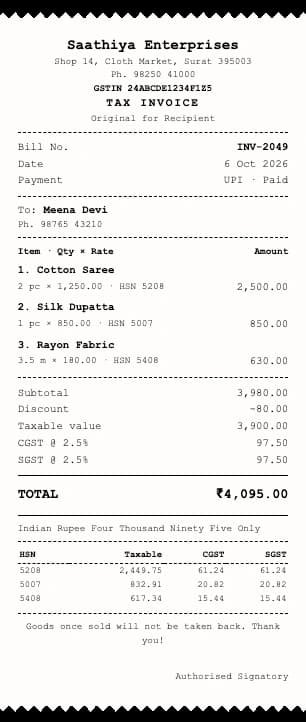
Pick the layout that suits how you sell: a thermal receipt at the counter, or an A4 tax invoice for wholesale orders. Every layout carries your GSTIN, HSN codes and the CGST and SGST split.

Classic A4 template: tax invoice INV-2049 with a coloured letterhead band, rounded bill-to box, item table and a ₹4,095 total

Classic · A4

Make it yours

Business & Premium

Six colours

  • Saffron
  • Indigo
  • Emerald
  • Maroon
  • Violet
  • Charcoal

Show only what you need

  • Shop logo
  • HSN-wise tax summary
  • Amount in words
  • Customer phone
  • Signature box
  • Terms / footer note

Your choice applies to the bill page, the print-out and the PDF your customer gets on WhatsApp.

Want something else on your bill? Talk to us

The small stuff

Details that matter when there’s a queue.

UPI QR on screen

Turn the phone to the customer. They scan, you confirm.

Next bill, straight away

Share on WhatsApp, print, save a PDF, duplicate, or start the next customer.

Keyboard first

Enter
Add item
↑↓
Pick a suggestion
CtrlEnter
Take payment
F5–F8
Cash · UPI · Card · Udhaar
Esc
Go back

Stock value at a glance

What your shelves are worth at selling rate, and what needs restocking.

Credit limits per customer

See the limit next to the balance before you give more udhaar. Remind on WhatsApp or download a statement any time.

How it works

  1. 01

    Add products

    Enter items with price, unit, HSN and opening stock.

  2. 02

    Record sales

    Bill customers as you sell, paid or udhaar.

  3. 03

    Track stock

    Quantities update with every bill.

  4. 04

    Manage payments

    Remind on WhatsApp, record what comes in.

  5. 05

    Understand your business

    Check reports and plan what to stock.

Questions

Do I need to install anything?

No. Vyapar opens in the browser on your shop computer. On your phone, add it to the home screen and it opens like an app, in light or dark.

Does Vyapar handle GST?

Yes. Bills include HSN codes and the CGST and SGST split, and Reports shows GST collected with a CSV export.

Can I track udhaar?

Yes. Mark a bill as udhaar and it goes to that customer’s khata. Record payments and send reminders on WhatsApp.

Can I change how my invoice looks?

Yes, on the Business and Premium plans. Pick Classic, Modern or Boxed GST on A4, or an 80mm thermal receipt, choose one of six colours, and switch off the parts you don’t print, like the logo or the HSN summary.

What do the plans include?

Every plan has GST billing, the WhatsApp bill page, khata, expenses and reports. Business adds items, stock, suppliers and invoice templates. Premium adds festival greetings and your own WhatsApp message wording. Plans also differ in how many people can log in.

Which payment modes are supported?

Cash, UPI, card and udhaar. For UPI, Vyapar shows a QR code your customer can scan.

How much does Vyapar cost?

Plans are priced by how many people use Vyapar, with a free trial, monthly or yearly billing, and two months free when you pay yearly. See the pricing page for today’s prices and offers.

How do I get started?

Click Get Started to open Vyapar, or book a demo and we’ll set it up with you.

Ready to simplify your business?

Open Vyapar in your browser and make your first bill, or book a demo and we’ll walk you through it.